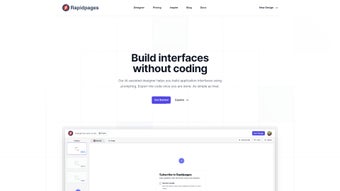

Download Rapidpages – AI‑Powered Website Builder, Free Hosting, Fast Design
Overview
Rapidpages is an AI‑driven website creation toolset that promises to shrink the time it takes to design, code, and launch a modern web presence. Built around three core engines – Designer, Snap, and Inspire – the platform blends visual creativity with instant code generation, allowing both seasoned developers and design‑focused marketers to produce responsive sites without wrestling with boilerplate. The service includes a library of pre‑designed components, a built‑in code editor, free hosting on a scalable cloud, and a pay‑as‑you‑go pricing model that scales with the number of projects you launch.
While the toolset shines in its ability to output clean React + Tailwind code, it does require a modest level of design intuition and currently limits pricing to a per‑project basis. Overall, Rapidpages positions itself as the middle ground between drag‑and‑drop site builders and full‑stack development environments, delivering a balance of creativity, speed, and practicality for modern web teams. The AI engine behind Designer analyses the textual and visual cues you provide and suggests layout structures, color palettes, typography, and even micro‑interactions.
This means you no longer need to start from a blank canvas or spend hours searching for inspiration on design galleries. Instead, you receive a curated set of options that you can accept, tweak, or replace entirely, speeding up the creative phase dramatically. Snap then translates those visual decisions into production‑ready React components styled with Tailwind CSS, preserving a consistent utility‑first approach that modern development teams love.
Inspire, the third pillar, works as a brainstorming companion, generating wireframes and concept sketches based on brief prompts, which is particularly useful for agencies that need to pitch multiple ideas quickly. Security and performance are baked into the platform. All generated code is automatically minified and the free hosting layer provides automatic SSL certificates, HTTP/2 support, and a global CDN edge network that reduces latency for visitors worldwide.
For enterprises with strict compliance requirements, Rapidpages also offers a self‑hosted Docker image, enabling you to keep design data behind your own firewalls. In short, Rapidpages is designed to be a one‑stop shop for anyone who wants to move from concept to a live, SEO‑friendly website in a fraction of the usual time.
Key Features & Benefits
- Designer AI – A visual canvas that suggests layout structures, color palettes, and typography based on content input.
- Snap Code Generator – Instantly converts a visual design into clean, production‑ready React components styled with Tailwind CSS.
- Inspire Idea Engine – Generates creative design concepts, wireframes, and mock‑ups to jump‑start brainstorming sessions.
- Component Library – Hundreds of pre‑built sections (hero, pricing tables, testimonials) that can be dropped into any project.
- In‑Built Code Editor – Full‑screen editor with syntax highlighting, linting, and live preview for fine‑tuning generated code.
- Free Hosting – One‑click deployment to Rapidpages’ CDN, with automatic SSL, caching, and global edge delivery.
- Pay‑as‑You‑Go Pricing – No monthly subscription; you only pay for the projects you publish, making it ideal for freelancers.
- React & Tailwind Support – Exportable code is ready to integrate with existing React applications or start a new project from scratch.
- Cross‑Platform Access – Web‑based interface works on Windows, macOS, Linux, as well as mobile browsers on Android and iOS.
- SEO Automation – Built‑in schema markup, Open Graph tags, and sitemap generation to boost search visibility without extra effort.
- Collaboration Tools – Real‑time sharing links, comment threads, and version history so teams can iterate together.
The combination of AI‑assisted design and instant code output means that a typical landing page that might take a developer 6‑8 hours to prototype can be assembled in under 30 minutes. Teams also benefit from a consistent code base; because Snap always outputs Tailwind‑styled React, style‑guide drift is minimized, and hand‑off to back‑end developers becomes frictionless. Moreover, the free hosting tier eliminates the need for separate deployment pipelines during the prototyping phase, letting users focus on content and conversion optimisation.
Beyond speed, Rapidpages improves quality. The AI checks for accessibility best practices, ensuring that contrast ratios meet WCAG 2.1 AA standards and that ARIA attributes are correctly applied. The code generator also enforces linting rules that prevent common bugs, such as unused variables or mismatched JSX tags.
For marketers, the platform offers built‑in A/B testing widgets that can be toggled without touching code, allowing rapid experimentation with headlines, CTA buttons, and colour schemes. All of these capabilities converge to create a development environment where creativity, performance, and reliability coexist, making Rapidpages a compelling choice for agencies, startups, and even large enterprises looking to accelerate their web‑delivery pipelines.
Installation, Usage & Compatibility
Getting Started – No Download Required
Rapidpages is a cloud‑native SaaS platform, so there is no traditional installer. To start, simply visit rapidpages.io, create a free account, and you’ll be taken straight to the Dashboard. The onboarding wizard walks you through three steps: (1) define the purpose of your site, (2) choose a template or start from a blank canvas, and (3) let the Designer AI propose a layout.
Once you approve the design, click Snap to generate the code, then either publish instantly to Rapidpages’ free hosting or export the source files to your local development environment. The registration process includes optional two‑factor authentication for added security, and a quick tutorial explains how to navigate the UI, access the component library, and use the built‑in editor. If you are part of a team, the platform supports role‑based access control, letting admins assign “Designer”, “Developer”, or “Viewer” permissions to each member.
This granular control ensures that only authorized users can push code to production, while others can contribute ideas and content.
Local Development Workflow (Optional)
For developers who prefer a local IDE, Rapidpages offers a one‑click “Export to GitHub” button that pushes the generated React + Tailwind repository to a private or public GitHub repo. After cloning, run npm install and npm run dev to launch a hot‑reloading development server. The exported code includes a package.json with all necessary dependencies, a tailwind.config.js for styling, and a src/ folder containing modular components that you can extend.
You can also integrate the project with CI/CD pipelines such as GitHub Actions, CircleCI, or Netlify for automated testing and deployment. If you work with other version‑control platforms like GitLab or Bitbucket, Rapidpages lets you download a ZIP archive of the repository, which you can then push to any remote you prefer. The export process preserves the original file structure, includes a detailed README with build instructions, and adds a .env.example file for environment variables, making it straightforward to move from a prototype to a production‑grade application.
Supported Operating Systems
Because Rapidpages lives in the browser, it works on any modern operating system that supports Chrome, Edge, Firefox, or Safari. Officially supported desktop environments are Windows 10 / 11, macOS 11 (Big Sur) and later, and major Linux distributions (Ubuntu 20.04+, Fedora 34+). Mobile browsers on Android 8+ and iOS 13+ also provide full functionality, though code export is best performed on a desktop for a smoother experience.
System Requirements & Recommendations
- Stable internet connection (minimum 5 Mbps for smooth AI interactions).
- Modern browser with JavaScript enabled.
- Optional: Node 14+ installed locally if you plan to run the exported project.
- Optional: Git client for repository export.
- Recommended: 8 GB RAM and a dual‑core CPU for handling large design files without lag.
The web‑based nature eliminates the need for heavy hardware; even a modest laptop can run the AI design engine comfortably. For teams with strict security policies, Rapidpages offers a Docker image that can be self‑hosted behind a corporate firewall, ensuring that design data never leaves the internal network. This on‑premises option includes the same AI capabilities but runs on your own compute resources, giving you full control over data residency and compliance.
Pros, Cons & Frequently Asked Questions
Pros
- AI‑assisted design dramatically reduces the time from concept to launch.
- Instantly generates clean React + Tailwind code, eliminating manual front‑end work.
- Free hosting with automatic SSL and global CDN.
- Pay‑as‑you‑go pricing fits freelancers and small agencies.
- Cross‑platform, browser‑based access means no OS lock‑in.
- Built‑in SEO automation and accessibility checks improve search rankings.
- Collaboration tools and role‑based permissions streamline team workflows.
Cons
- Design suggestions assume a basic level of visual literacy; absolute beginners may need extra guidance.
- Project‑based pricing can become costly for agencies managing dozens of sites.
- Limited to React and Tailwind – not ideal for teams using Vue, Angular, or plain CSS.
- Advanced customization still requires manual code edits after Snap export.
- No native WordPress export option.
- Free tier caps the number of published projects, which may be restrictive for hobbyists.
Frequently Asked Questions
Is Rapidpages free to use?
Rapidpages offers a free tier that includes unlimited design sessions, Snap code generation, and free hosting for up to three published projects. Beyond that, you pay per additional project using a simple pay‑as‑you‑go model.
Can I export the generated code to my own server?
Yes. After Snap creates the React + Tailwind code, you can download a ZIP archive or push the repository directly to GitHub, then deploy it to any server or static‑site host of your choice.
Does Rapidpages support SEO optimisation?
The platform automatically adds semantic HTML tags, Open Graph metadata, and sitemap generation. You can also edit meta titles and descriptions directly in the built‑in editor before publishing.
What browsers are compatible with Rapidpages?
Rapidpages works with the latest versions of Chrome, Edge, Firefox, and Safari. Mobile browsers on Android and iOS are fully supported, though advanced features like code export are smoother on desktop browsers.
Is there a limit to the number of components I can use?
The free tier includes access to the core component library. Paid projects unlock premium components and the ability to create and save custom component sets for reuse across multiple sites.
Can I self‑host Rapidpages for enterprise security?
Yes. Rapidpages provides a Docker image that can be deployed on your own infrastructure, allowing you to keep all design data behind your corporate firewall while still accessing the AI design engine.
Rapidpages Comprehensive Review Rapidpages delivers on its promise of speeding up web development through AI‑driven design and instant code generation. While it shines for React‑centric teams, the platform could broaden its appeal by supporting additional frameworks. Overall, the tool offers a compelling mix of creativity, speed, and cost‑effectiveness, making it a strong candidate for freelancers, startups, and small agencies looking to launch sites quickly without sacrificing code quality.Conclusion – Should You Download Rapidpages?
If you’re tired of juggling design mock‑ups, hand‑coding HTML/CSS, and then rewriting everything for a React environment, Rapidpages provides a streamlined workflow that eliminates most of those steps. The AI Designer helps you generate professional‑looking layouts in minutes, while Snap guarantees clean, production‑ready code that adheres to modern best practices. Free hosting removes the friction of setting up a server during the prototyping stage, and the pay‑as‑you‑go model ensures you only spend on projects that deliver value.
The platform’s main constraints—project‑based pricing and a focus on React/Tailwind—mean it’s not a universal solution for every tech stack. However, for teams that already work within the React ecosystem or are looking to adopt it, Rapidpages can dramatically cut down development time and enable faster iteration cycles. The added SEO automation, accessibility checks, and collaboration features further increase its appeal for agencies that need to deliver high‑quality, compliant sites on tight deadlines.
Ready to accelerate your web‑creation process? Create your free account today, explore the Designer AI, and launch your first site in under an hour. Experience the blend of creativity and code that only an AI‑powered toolset can deliver, and see how Rapidpages can become the cornerstone of your digital production pipeline.



.png)



